How to Disable/ Enable User
If a user is on long-term leave, therefore needs their Courses/ Simulations paused, disabling the user is the best way to manage this. Disabling the user means their previous data will be saved, but…

Updated
by Meg Bird
If a user is on long-term leave, therefore needs their Courses/ Simulations paused, disabling the user is the best way to manage this. Disabling the user means their previous data will be saved, but while disabled they will no longer receive content (or reminders if utilised). You can re-enable a user at any time - please note the user will not be sent content they have 'missed' while disabled.
If your tenancy has Line Manager Escalations enabled, this will also stop the disabled user's line manager receiving reminder emails regarding uncompleted courses.
- Log into the Portal.
- On the left navigation bar, click Users.
- Search for the user.
- Select 'View' under the Edit column, of the user.
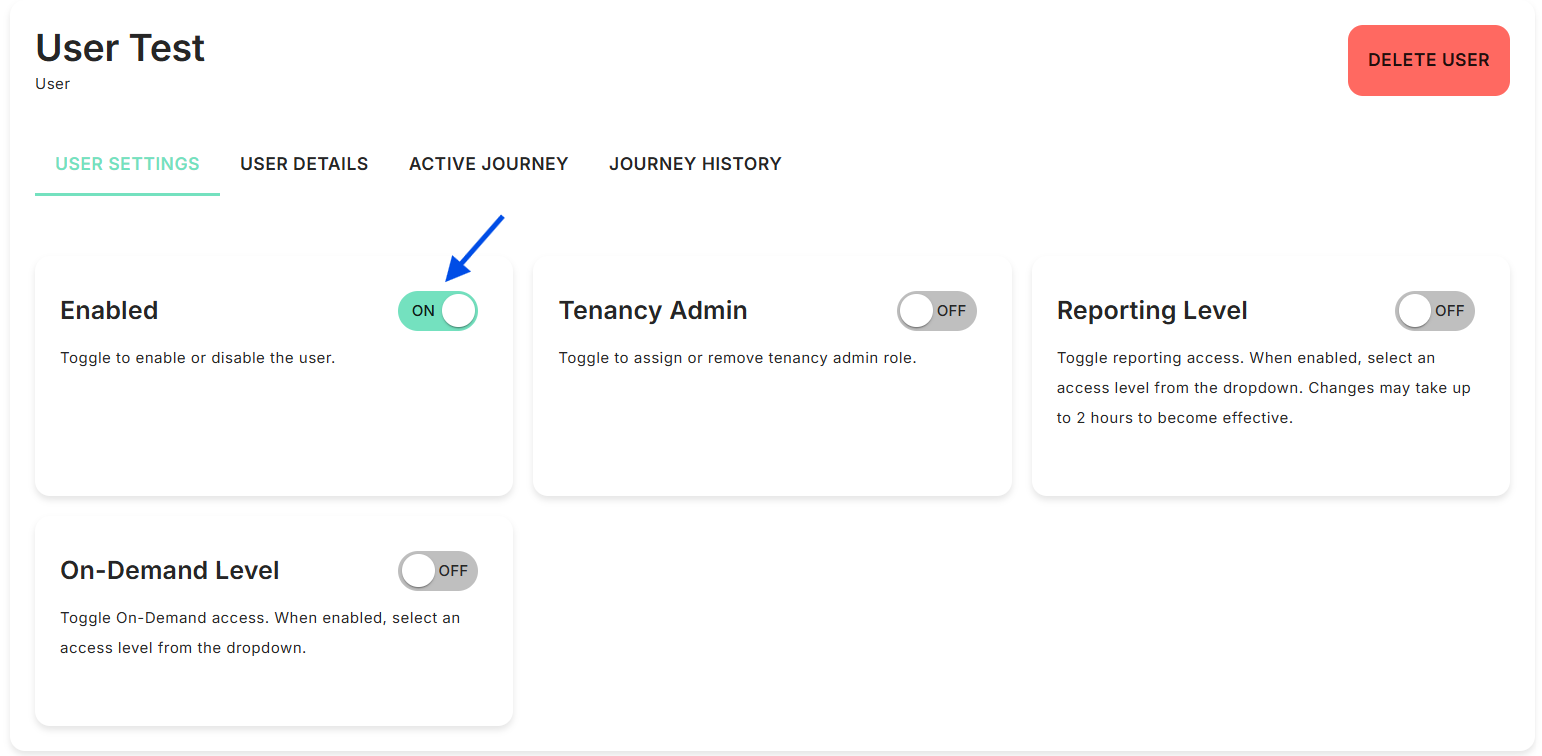
- Under USER SETTINGS you will find the Enabled toggle:
How did we do?
How to Delete Sent Course(s) for a User
