Users Page
The Users tab puts simulations, courses and risk for every user into one table. Click a column heading to sort. For example, sort by Risk score to put your highest-risk users at the top. Use the filt…

Updated
by Nick Bates
The Users tab puts simulations, courses and risk for every user into one table.
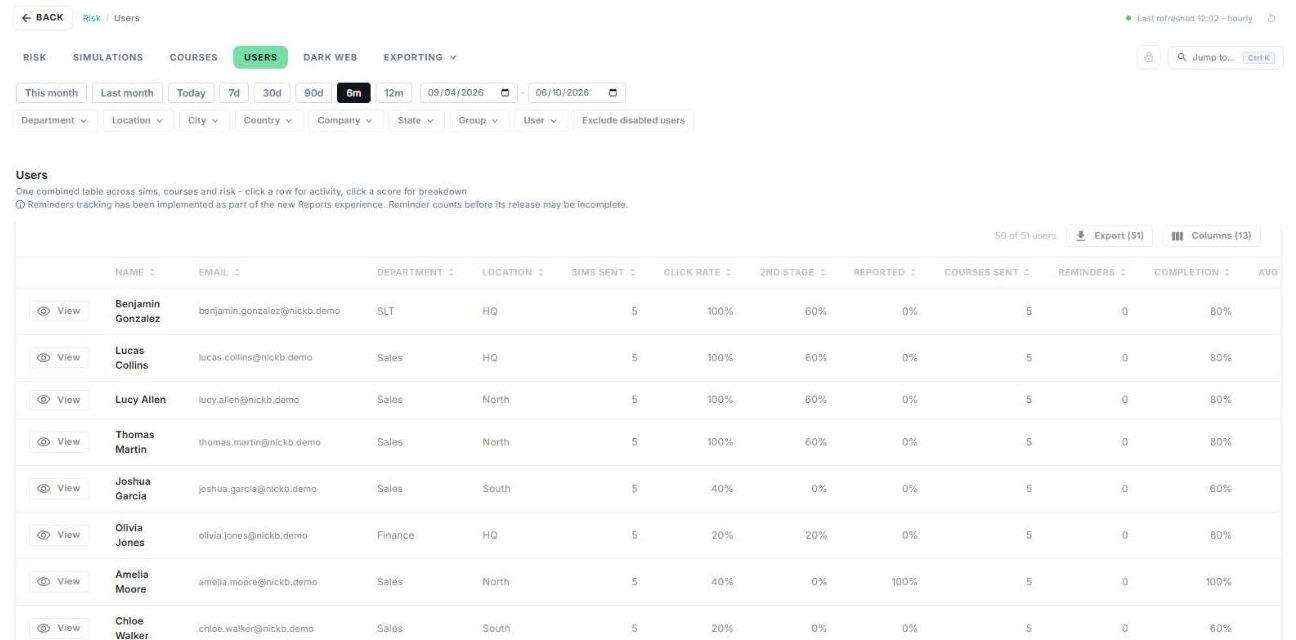
- Click a column heading to sort. For example, sort by Risk score to put your highest-risk users at the top.
- Use the filters to narrow the list by department, location, group and more.
- Click a user's risk score to see how it's made up. See User Risk Score Breakdown.
- Click View to open the user's profile.
- Click Export to download the table, or Columns to choose which columns show.
Note: reminder tracking was added as part of Reports B, so reminder counts from before its release may be incomplete.
User Risk Score Breakdown
The Risk Score Breakdown shows exactly how a user's risk score is made up.
- On the Users tab, click the user's risk score.
- Review each of the five signals: its weight, the user's measured value, and the points it adds.
- Click How is this calculated? for the full methodology, or Close to return.
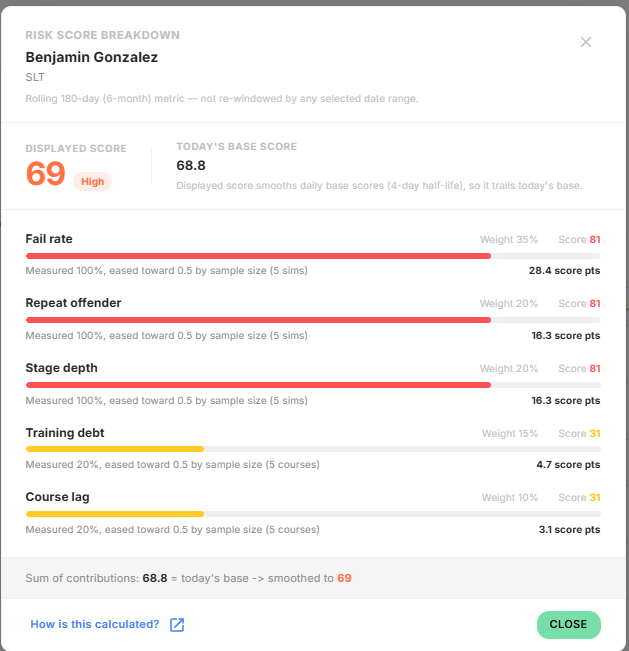
Displayed score is smoothed over recent days, so it can differ slightly from Today's base score. When a user has only a few simulations or courses, their values are eased towards neutral, and the breakdown says so.
User Profile
A user's profile shows their risk score, activity and the lures they fall for, all in one place.
Open it by clicking View next to a user anywhere in Reports B, or by searching for them with Jump to.
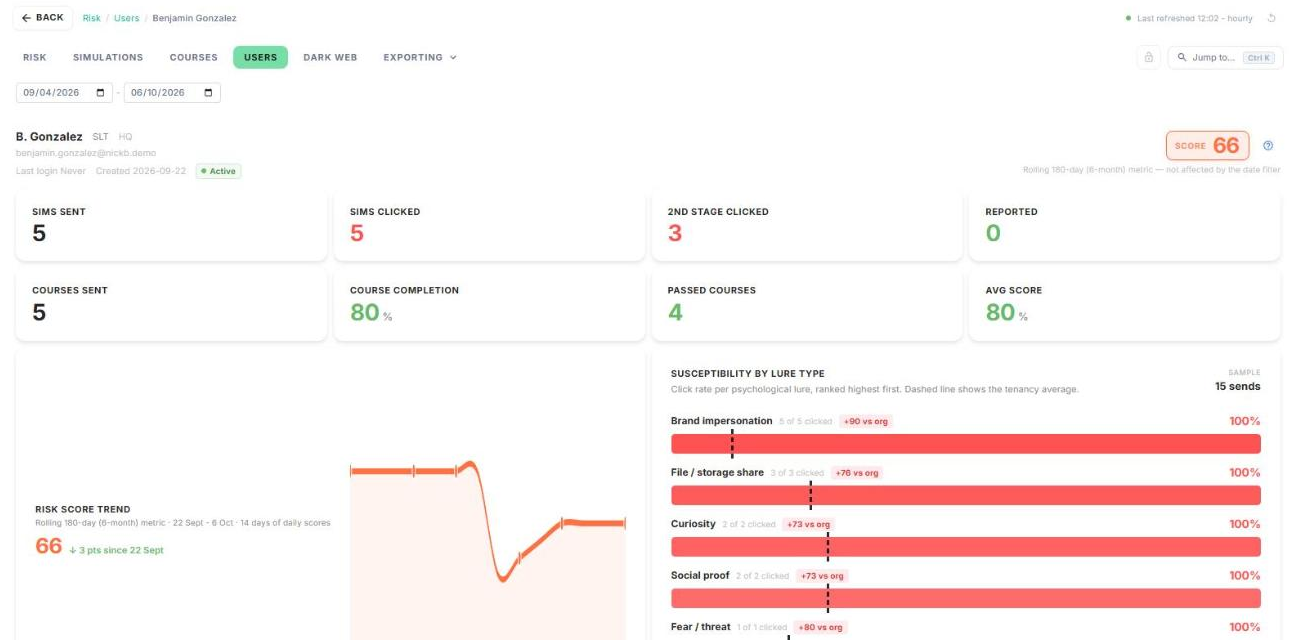
- The header shows the user's department, location, email, last login, date created, status and risk score.
- Use the date range to filter the counts and timeline. The risk score always covers the last 6 months and isn't affected by this filter.
- Susceptibility by lure type shows which lures this user clicks, compared with your organisation's average.
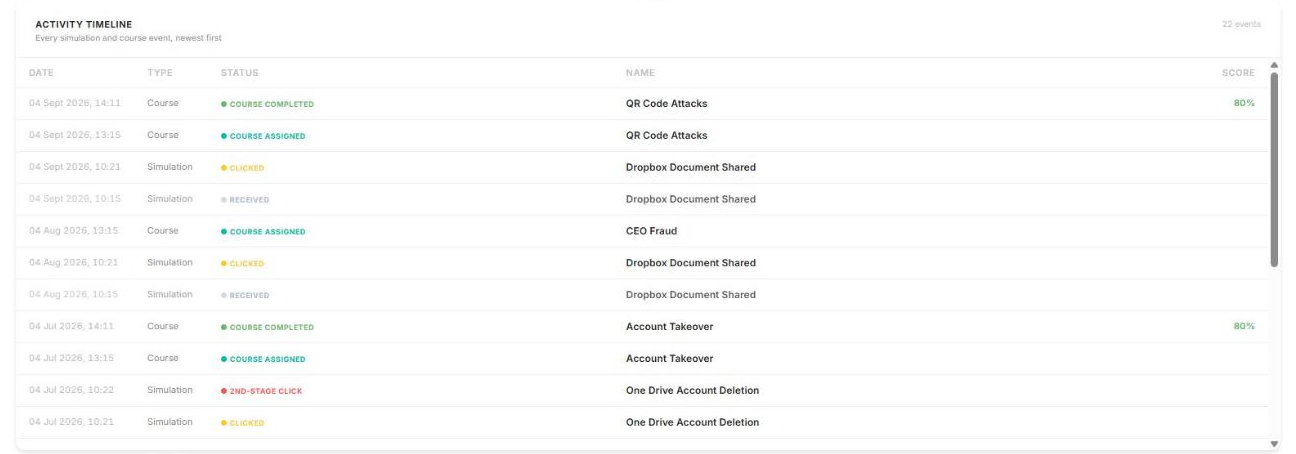
- Activity timeline lists every simulation and course event for the user, newest first.
How did we do?
Courses
Dark Web Page
