Dark Web Page
The Dark Web tab shows where your organisation's email addresses have appeared in data breaches, and whether passwords were exposed with them. Filtering. Choose a date range preset ( This month , Las…

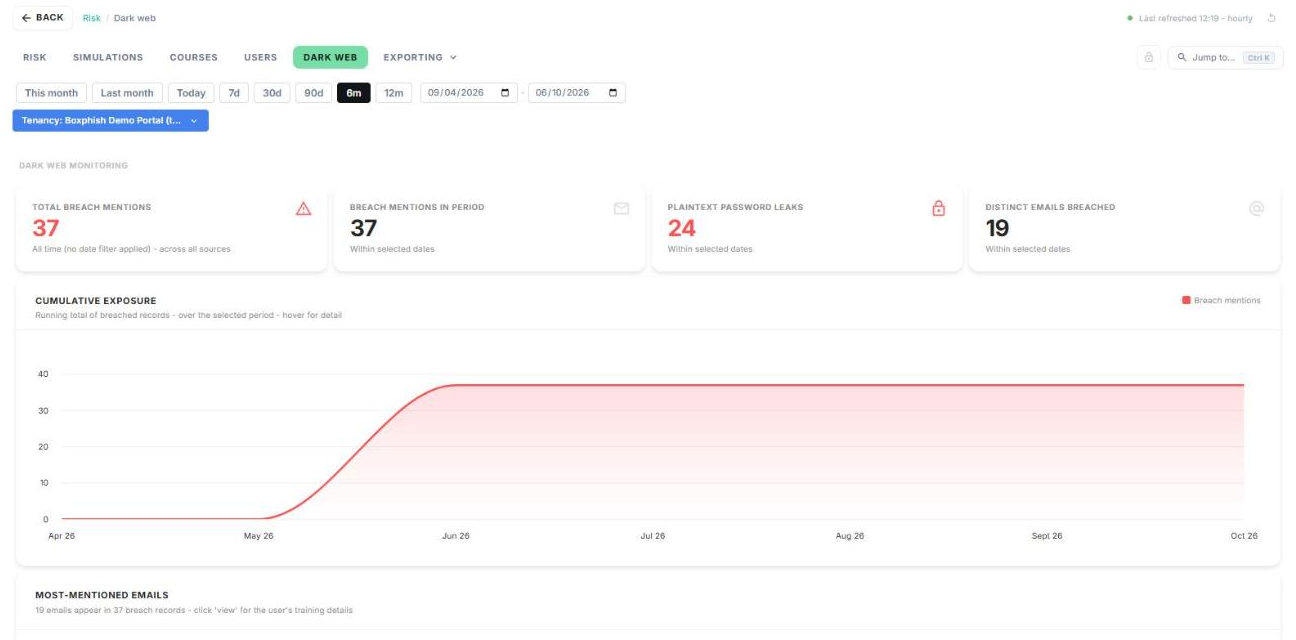
The Dark Web tab shows where your organisation's email addresses have appeared in data breaches, and whether passwords were exposed with them.
Filtering
Choose a date range preset (This month, Last month, Today, 7d, 30d, 90d, 6m or 12m), or enter your own dates.
Summary cards
- Total breach mentions: every breach record for your organisation, across all sources. This card ignores the date filter.
- Breach mentions in period: breach records within the selected dates.
- Plaintext password leaks: breach records that included a readable password.
- Distinct emails breached: how many different email addresses were affected.
Cumulative exposure
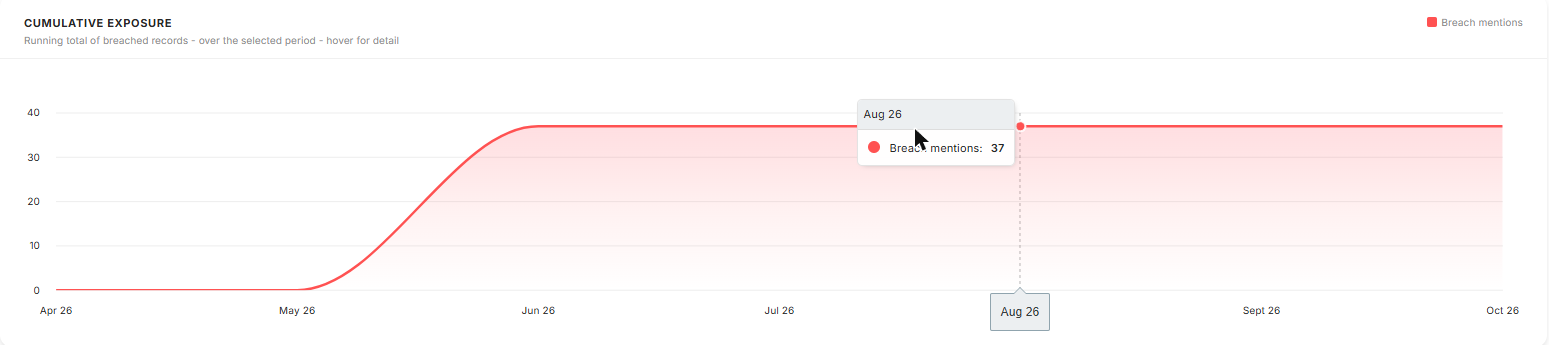
A running total of breach records over the selected period. Hover over the line to see the total at any point.
Most-mentioned emails
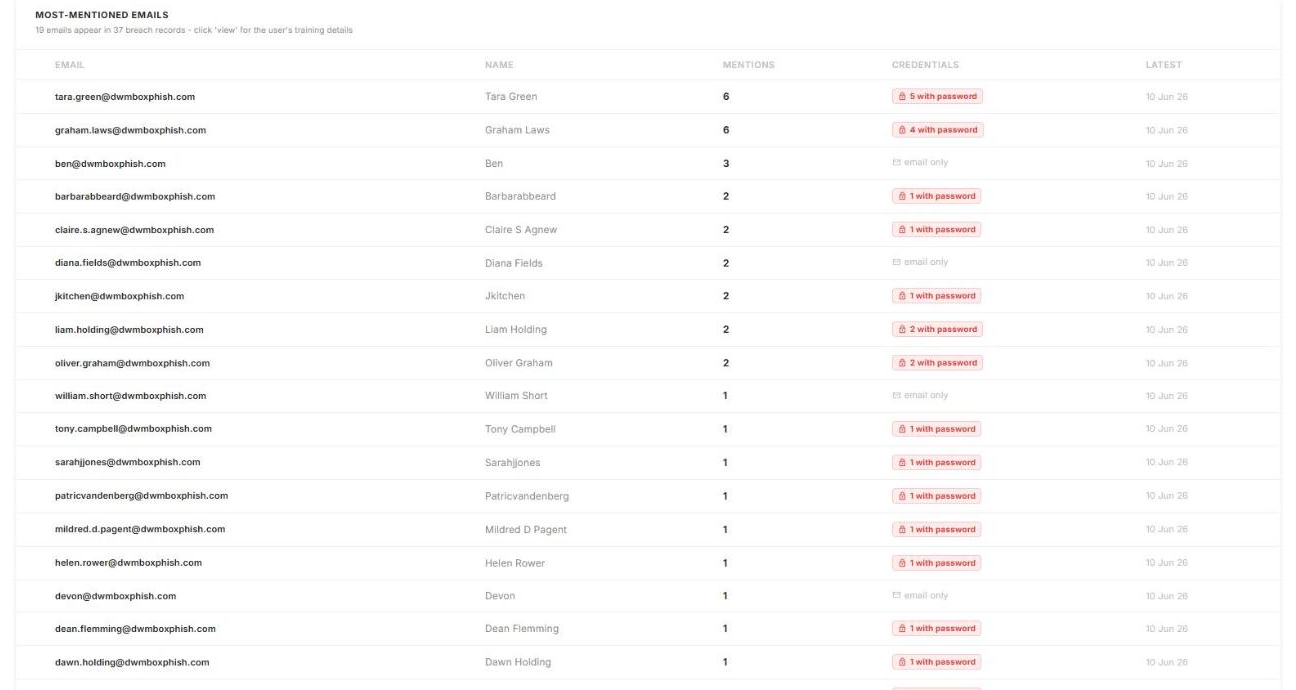
Lists every breached email address, most-mentioned first, with:
- Mentions: how many breach records include the address.
- Credentials: with password (red) means a password was exposed. email only means just the address was found.
- Latest: the date of the most recent breach record.
Tip: start with the addresses marked with password. Ask those users to change their password, and to change it anywhere else they've used it.
Partner accounts only: filtering by tenancy
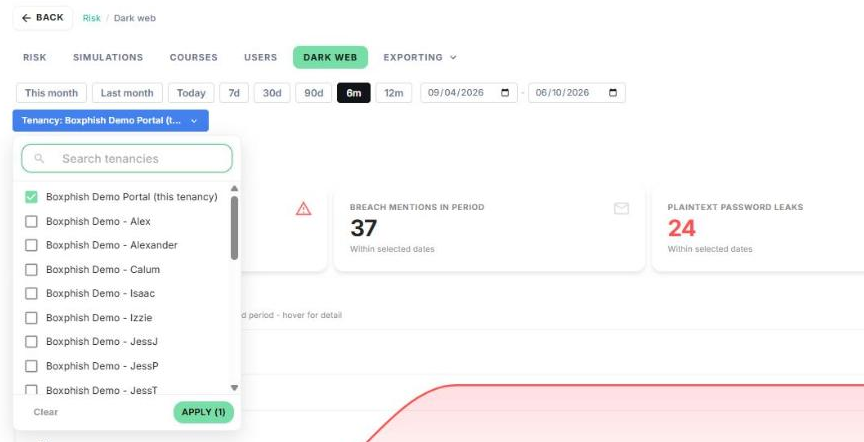
When you view a partner tenancy, a Tenancy filter appears under the date range. Tick the tenancies you want to include and click Apply, or click Clear to reset.
Dark web monitoring not set up?
If you see Dark web monitoring is not set up for this tenancy, contact Boxphish support to enable it.
How did we do?
Users Page
Exporting
