How do Batches work?
What is 'batching'? Batching spreads a simulation or course send over a set period of time, so users don’t all receive the email at once. This feature is primarily utilised when sending simulations.…

What is 'batching'?
Batching spreads a simulation or course send over a set period of time, so users don’t all receive the email at once. This feature is primarily utilised when sending simulations.
--------------
Where do I use this?
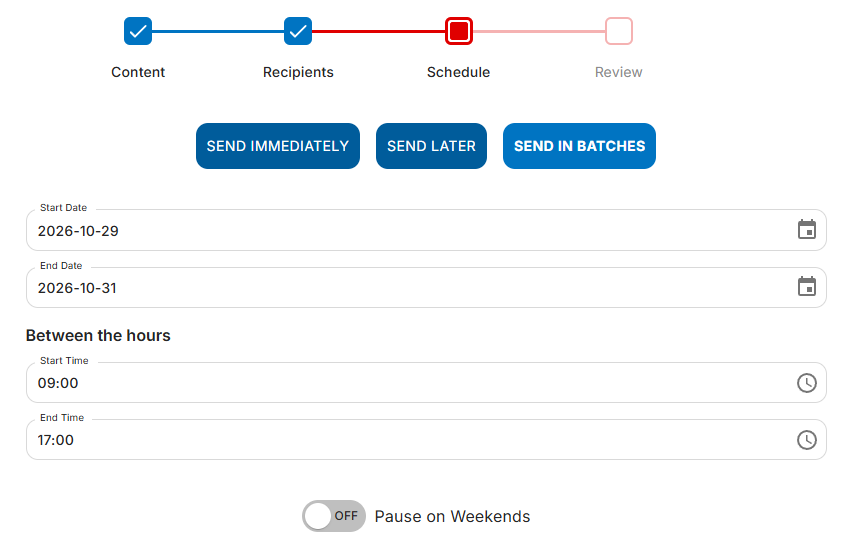
- On Demand: when sending a simulation (or course) & seletcting 'SEND IN BATCHES':
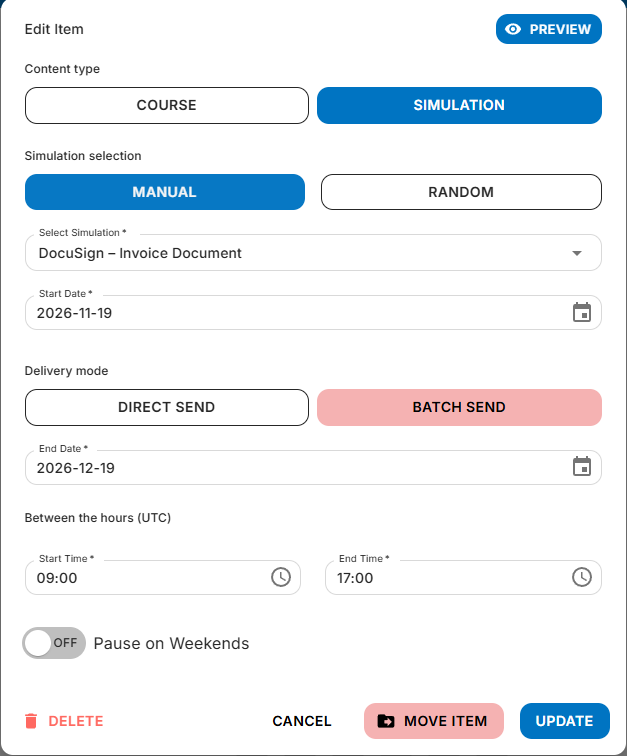
- Journey Builder: when creating sends (a simulation or a course), within a Journey:
--------------
How does this work?
Batching over several days
- It counts your sending days. This includes the first and last day of the send. Weekends are skipped when Pause on Weekends is on.
- If you have more users than days, every day gets a share. Each day sends the same number, and any leftovers are spread out so no day sends more than one extra. The last send lands on the final day, so sending doesn’t finish early.
- If you have fewer users than days, sends are spaced out. The first send goes out on day 1 and the last on the final day, with even gaps in between.
- Each day’s sends go out in hourly batches across your sending window. The last batch starts an hour before the window closes, so a 09:00–16:00 window sends batches from 09:00 to 15:00. Nothing is sent after the end time.
- Every morning, the plan is updated. New starters are added, leavers are removed, and any failed sends are tried again before the end date.
Examples:
Users | Sending days | What happens |
1,400 | 90 | 15 or 16 sends each day, with the last on day 90 |
15 | 45 | Roughly one send every 3 days: days 1, 4, 7, 10... 45 |
1 | Any | Sent on day 1 |
--------------
Batching within a day
- It counts your hourly batches. The last batch starts an hour before the window closes, so a 09:00–12:00 window has three batches: 09:00, 10:00 and 11:00. Nothing is sent after the end time.
- If you have more users than batches, every batch gets a share. Each batch sends the same number, and any leftovers are spread out so no batch sends more than one extra.
- If you have fewer users than batches, sends are spaced out. The first send goes out in the first batch and the last in the final batch, with even gaps in between.
Examples:
Users | Sending window | What happens |
200 | 09:00–16:00 (7 batches) | 28 or 29 sends in each batch, from 09:00 to 15:00 |
50 | 09:00–12:00 (3 batches) | 16 at 09:00, 17 at 10:00, 17 at 11:00 |
3 | 09:00–16:00 (7 batches) | One send each at 09:00, 12:00 and 15:00 |
A few things to note:
- Sending times are in UTC. Sending windows use UTC. This matches UK time from late October to late March (GMT). During British Summer Time (BST), everything runs an hour later in UK time than the window shown. For example, a 09:00–16:00 window becomes 10:00–17:00 UK time, with batches sent from 10:00 to 16:00.
- No eligible users. The send won’t show as “Completed”. It records that there were no eligible users and nothing was sent.
If you do need any assistance with this, please contact your Customer Success Manager, or send in your query to our Support Team at support@boxphish.com
How did we do?
De-Duplication of Courses and Simulations
